 Datronome
Recurring data work that ends in a decision, done the same way every time.
Datronome runs your reports on a schedule, stops when the numbers look wrong, asks the right person to approve, and remembers every decision. It runs on your own Windows PC, so your data stays with you.
Download for Windows Watch the tour
Free to start · Windows 10 and 11 · Version 0.15.1, 31 Oct 2026
Datronome runs on Windows PCs. On a phone? Watch the tour here, then download it on your computer.
- Free to start. No card, no time limit.
- Your data stays put. It runs on your PC, not in our cloud.
- Installs in minutes. No admin rights, nothing else to install.
How it works
- Bring in the dataA database query, an Excel file, a script or an email inbox.
- Check itPlain rules. If the numbers look wrong, it stops and says why.
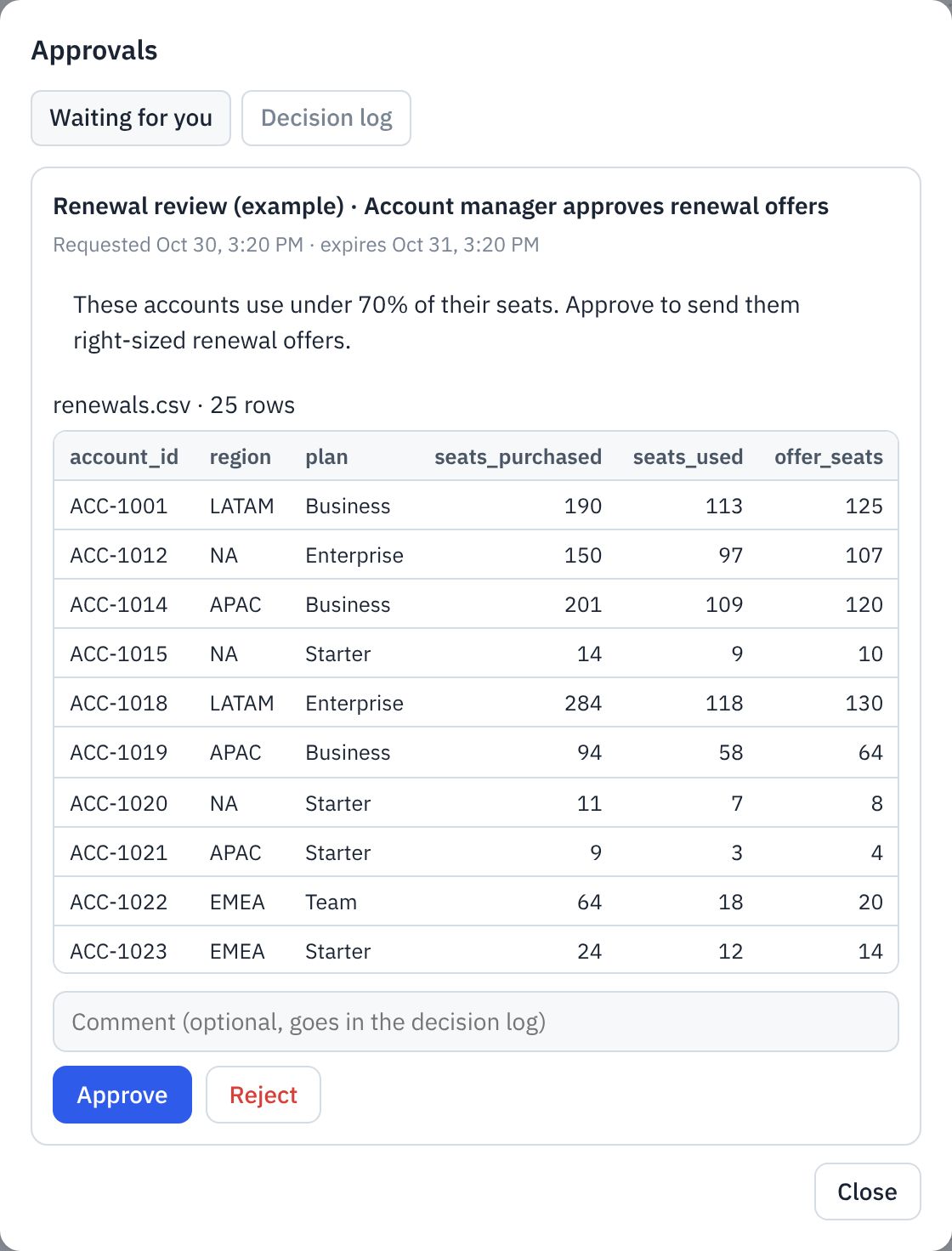
- Ask a personThe right person sees the actual table and approves or rejects.
- Keep the recordWho decided, when, the value at stake, and whether it worked.
What you get
Reports that run themselves
Put a query, a script or an Excel file on a schedule. Datronome runs it, saves the result as Excel or CSV, and keeps every run's files and logs.
Mistakes caught before anyone sees them
Plain rules such as "at least one row" or "no duplicate invoice numbers" check the data every time. If a rule fails, the pipeline stops and tells you why.
Decisions you can prove
The approver sees the actual table, not a summary. Datronome records who decided, when and what was at stake, then checks later whether the decision worked.
See it in action


Who it's for
Analysts, operations leads and small data teams who run the same reports and decisions every week with SQL, Excel, Python and email, and don't want to run servers. Running a large data platform with many engineers? A tool like Apache Airflow fits better, and our comparison says so plainly.
Why you can trust it
- Local only by default. Datronome answers only your own computer until you switch on server mode. How it is protected
- Nothing hidden in the download. Each release publishes the file's SHA-256 checksum so you can check it. Check the file
- A dated record of every change. Every release lists what changed, in plain words. Read the changelog
- No tracking on this website. No cookies, no analytics and no scripts. Privacy Policy
Common questions
Does my data leave my computer?
Not unless you choose to send it. Datronome runs on your PC and keeps everything in a folder there. It only connects to the things you set up, such as your database, email or a cloud assistant.
Do I need Python, or administrator rights?
No. The installer includes everything and installs into your own user folder, so no administrator rights are needed.
How are passwords kept safe?
Saved passwords and keys are encrypted on your PC and blanked out of every log. Datronome only accepts connections from your own computer unless you switch on server mode.
What happens after the free plan?
Nothing, unless you want more. Starter is free with no time limit. Team and Enterprise add more pipelines and people.
Try it on your own data today
Download, install in a few minutes, and run the built-in example first.